How SMS Consent Works
Exactly how callers choose to receive texts, and what they receive.
Effective date: October 24, 2026 · Greeting version: ivr-v2.7
Each service business that uses Braxion Connect uses its own business name wherever you see Business Name below, and its own approved messaging setup. Callers who don't press 1 are never texted. A missed call alone is never consent.
Prelaunch notice: Braxion Connect text messaging is not live yet, and no texts are currently sent. This page describes how the program will work once texting launches.
Step 1: The greeting
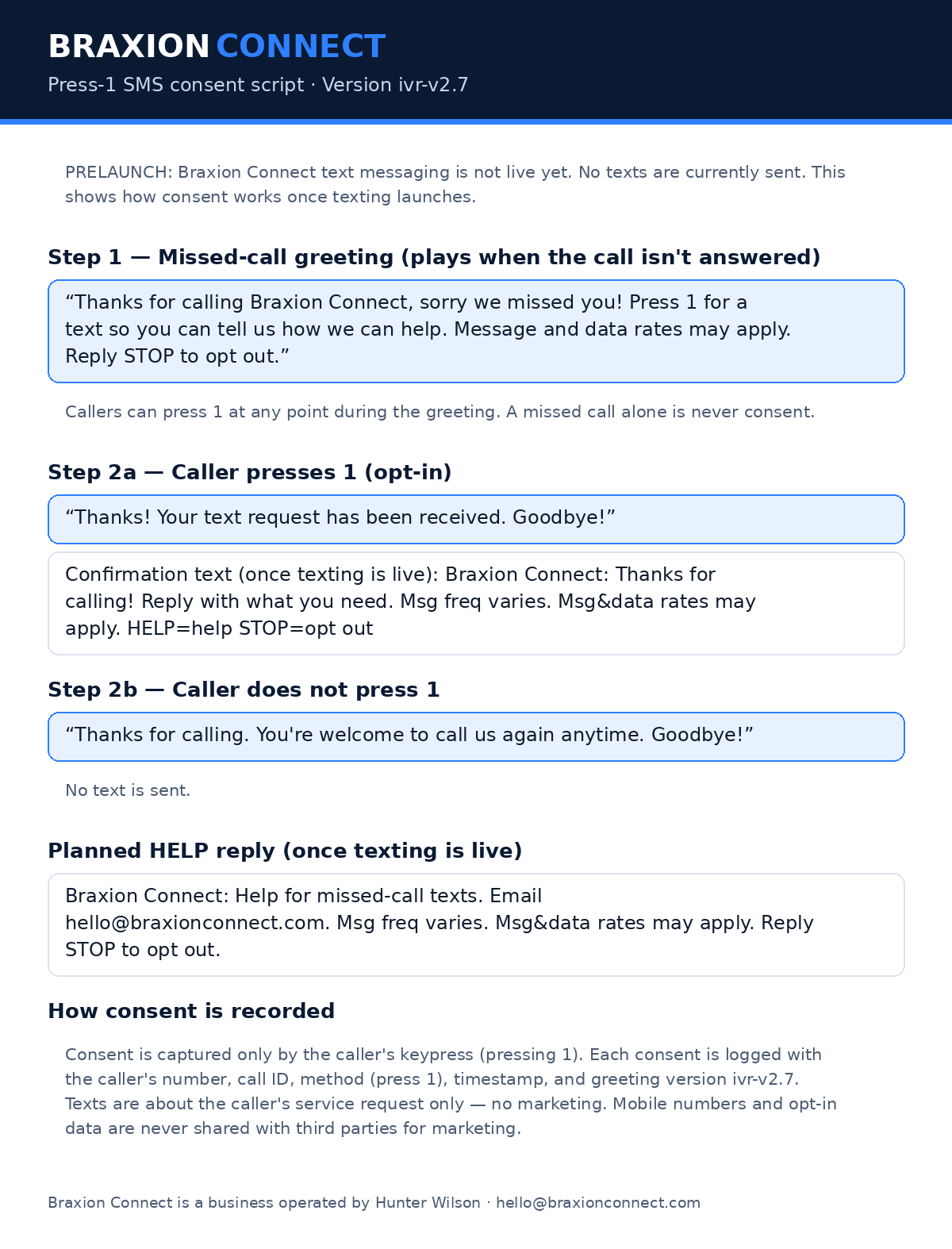
When a call to the service business isn't answered, the caller hears this recorded greeting. Callers can press 1 at any point during the greeting:
A printable copy of the full keypress consent script (version ivr-v2.7) is available as an image: Braxion Connect press-1 consent script (PNG).
Step 2: The caller chooses
Option 1: Press 1
The caller hears:
and, once texting is live, receives this text:
Business Name: Thanks for calling! Reply with what you need. Msg freq varies. Msg&data rates may apply. HELP=help STOP=opt out
Option 2: Don't press 1
The caller hears:
No text is sent.
If the caller previously opted out
If the caller presses 1 but has replied STOP before, they are not texted and hear:
They can text START to rejoin.
If we can't text you
If a caller presses 1 but we can't send a text, for example because texting is turned off for that business, the business's settings can't be confirmed, or the caller's number is hidden, no text is sent and they hear:
Pressing 1 in this case is still recorded, but no texts are sent until texting is available and consent is confirmed.
Important details
- Callers who don't press 1 are never texted. A missed call alone is never consent.
- Texts are only about the caller's service request. Message frequency varies. Message and data rates may apply.
- Consent is not a condition of purchase.
- Once texting is live, reply STOP at any time to opt out, or HELP for help. On the Braxion Connect line, the HELP reply will read: "Braxion Connect: Help for missed-call texts. Email hello@braxionconnect.com. Msg freq varies. Msg&data rates may apply. Reply STOP to opt out."
- Texts are sent from a toll-free number verified with U.S. carriers (or, where applicable, a number registered for A2P 10DLC). Delivery depends on carriers and isn't guaranteed.
- For each consent we record the phone number, the call ID, the method (pressing 1), the time, and the greeting version.
- Pressing 1 asks for texts about this one service request. After the confirmation text, you may get a few follow-up texts about that request (typically 1-4 in total).
- No mobile information will be shared with third parties or affiliates for marketing or promotional purposes. Text messaging originator opt-in data and consent will not be shared with any third parties.
See our SMS Terms and Privacy Policy.